 TikQo


About the game
In Don't Touch the Water, the streamer plays in first person, jumping across tiled stone blocks rising from an endless dark green water to get through 50 levels. If they fall into the water, the pitch-black, glowing-eyed creature Sulak charges out of the mist: if you can't climb onto a block within a second and a half, it drags you into the depths, your death count goes up and you restart from the beginning of the level. Even if you climb out, it doesn't give up, coming all the way to the edge and leaping out of the water. Levels are different every time: planks, thin wide beams, ladders, stepping stones, large islands, long gaps jumped by sprinting with Shift, and sliding, rising and falling, and rotating blocks; the further you go, the thicker the mist gets, the smaller the blocks get and the bigger the gaps get. Viewers control the game with gifts: Rose pushes the streamer back, TikTok sends a swarm of bats, Perfume and Bouquet move you one level forward or back, Hand Heart and Confetti move you five levels forward or back, and Tea adds a new creature to the water. Boxing Gloves start a 60-second reset countdown: if no protection arrives, the streamer goes back to level 1; Corgi blocks the reset or stores it up as a shield. The reset, protection and time-up scenes are shown with a clean card design suited to streaming, featuring the sender's profile photo. The streamer who reaches the ring on level 50 escapes, and the time and death summary is saved.
How to buy
- Press Buy. If you are not signed in, the sign-in page opens first.
- Pay by card on the secure checkout page (USD). The game is added to your TikQo account right after payment.
- Log in to the launcher with the same account; the game downloads and you're ready to go live.
System requirements
See the download page for details.
Don't Touch the Water FAQ
How do you play Don't Touch the Water?
Don't Touch the Water is a game that viewers control with gifts, likes, follows and comments during your TikTok LIVE. You open the game on your Windows PC with TikQo Launcher, type your TikTok username and connect it to your stream. To let viewers see the game, you add the game screen to your stream from your PC.
Is Don't Touch the Water paid?
No, Don't Touch the Water is free. Just sign in to your TikQo account and add the game to it; it shows up in the launcher right away.
Can Don't Touch the Water be played on a phone?
The game runs on a Windows 10 or 11 (64-bit) PC; Mac and phone-only setups are not supported at the moment. Even if you start your stream from your phone, the launcher passes interactions to the game, but to let viewers see the game you need to add the game screen to your stream from your PC.
Similar games


Neighborhood
Every viewer gets their own house in a living neighborhood; as support comes in, the shack turns into a mansion.
- 8 levelsShack → Cabin → Detached house with garden → Two-story → Modern duplex → Villa with pool → Luxury mansion → Estate


Carpet Wash
You wash the carpet; viewers send Roses to clean it, or send GG to land on the carpet with muddy feet!
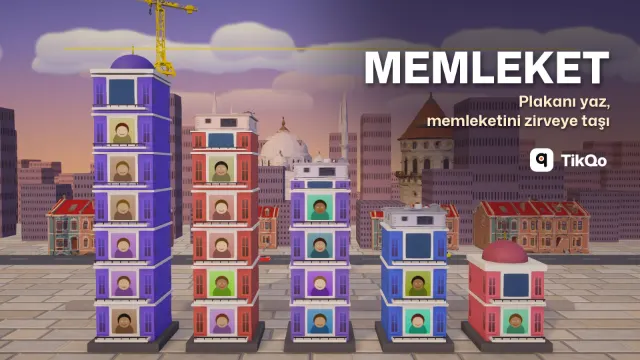

Memleket
Viewers type their license plate code and add bricks to their hometown's tower; the first province to reach the clouds wins the round.
- RankHemşehri → Usta → Ağa → Bey, next to their name on the event card