TikQo


About the game
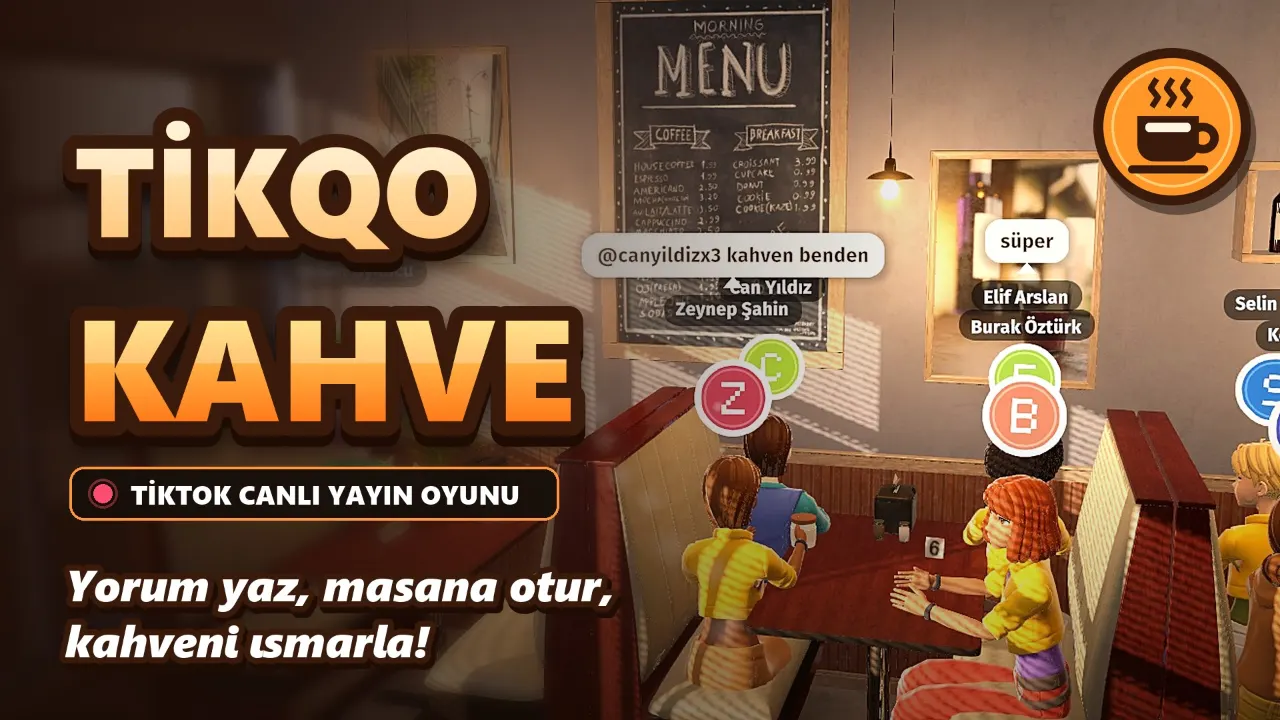
TikQo Cafe turns your TikTok LIVE into a cozy cafe where viewers hang out together. Every viewer who comments walks through the door with their own character and sits at an empty table; their name and profile picture appear above their head. When the hall is full, new arrivals line up on the sidewalk and are let in as seats open up. Gifts turn into orders: Espresso, Latte, Cake + Coffee, or Coffee for Everyone, served to the whole hall. The viewer walks to the counter, the barista prepares the order at the machine, and the waiter brings it to the table. You choose which gift places which order; gifts that aren't mapped don't go to waste either, they turn into an item based on their value. Viewers can treat each other: someone who writes "@name" in a comment and sends a gift sends a coffee to that person's table; if the person treated treats someone else in turn, a treat chain begins and hearts fly around the hall. Someone who writes "yanına otur @ad" moves to their friend's table. Someone who writes "erkek" or "kadın" picks their character; for those who don't, the character is determined by their name. Free participation shows on screen too: confetti bursts over a new follower's head, likes turn into hearts, someone who writes "selam" waves, and someone who shares the stream cheers. The cafe grows throughout the stream: gifts raise the shop level, long-time guests earn a regular badge, the top treater wears a crown, and Happy Hour starts at set intervals. A guest who stays silent for a long time is first politely asked, "Would you like to order something?"; if the silence continues, the staff walks them to the door and their seat opens up for the next in line. The cinematic camera tours the hall on its own and moves in on the bar and table for big orders; if you want, you can switch to the free camera and record your own angle. In the settings panel opened with F1 or Esc, you can adjust durations, capacity, camera, sound, and events; while the panel is open the game pauses and incoming interactions wait in the queue.
How to buy
- Press Buy. If you are not signed in, the sign-in page opens first.
- Pay by card on the secure checkout page (USD). The game is added to your TikQo account right after payment.
- Log in to the launcher with the same account; the game downloads and you're ready to go live.
System requirements
See the download page for details.